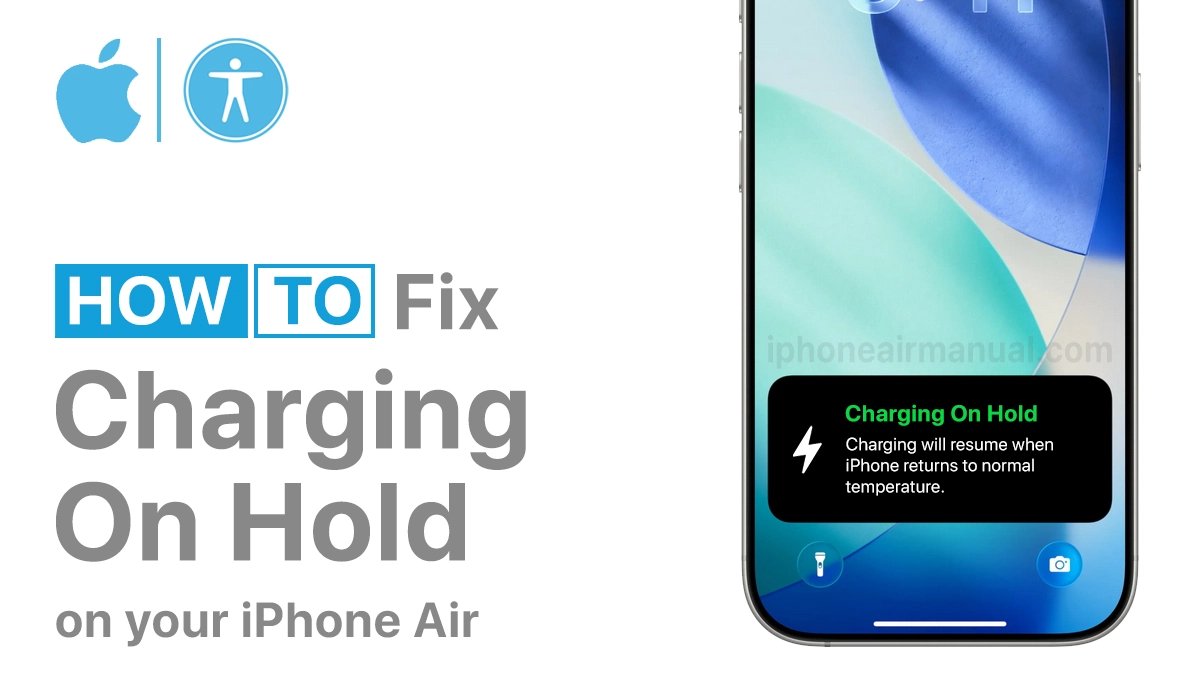
Are you plugging in your iPhone and seeing the “Charging on Hold” message instead of the usual charging animation? Don’t worry, you’re not alone. This feature is part of Apple’s battery protection system, and while it can be confusing at first, it’s actually designed to keep your iPhone running smoothly and extend battery life. In this article, we’ll guide you to fix Charging on Hold on iPhone Air.
How to Fix Charging on Hold on iPhone Air
In most cases, you don’t need to do anything; the iPhone will resume charging automatically once it is safe. However, if you want to speed up the process, here are some useful tips:
- Cool down your iPhone: Move it to a cooler environment or remove it from direct sunlight.
- Take off the case: Thick or insulated phone cases can cause your device to overheat.
- Use Apple-certified chargers: Non-certified cables or adapters can trigger charging issues.

- Avoid heavy use while charging: Close apps or stop playing games while your iPhone on charging.
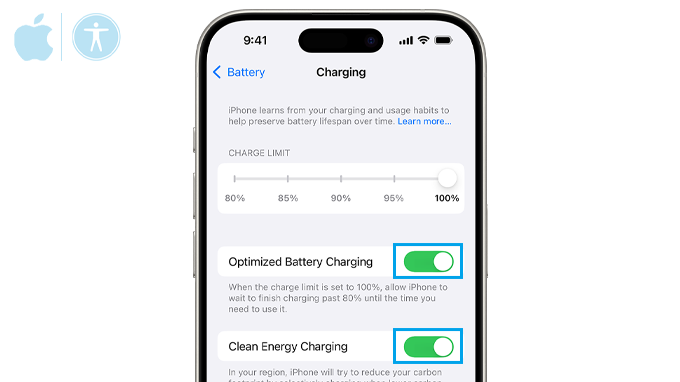
- Check battery settings: Go to Settings > Battery > Battery Health & Charging and review Optimized Charging settings if you want to adjust charging behavior.
Additional Tips
- Only use Apple-certified chargers and cables to avoid unnecessary overheating.
- If the message persists, check for dust in the charging port or try charging from a different power outlet.
- Avoid attempting to cool the iPhone too quickly (e.g., placing it in a fridge or freezer), as rapid changes in temperature can cause damage.
What Does “Charging on Hold” Mean?
The iPhone Air comes with smart battery protection features designed to extend the long-term health of your battery.
When you see the “Charging on Hold” message, it means your iPhone has temporarily paused charging to protect the battery from conditions that could cause overheating or shorten its lifespan.
The “Charging on Hold” message typically appears due to one of these reasons:
- iPhone Temperature Protection: If your device gets too hot or too cold, charging may pause to prevent battery damage.
- Optimized Battery Charging: Apple’s clever feature slows down charging to preserve long-term battery health.
- Software or System Glitches: A temporary iOS bug or system error can cause charging to pause.
- Faulty Cables or Adapters: Using non-certified accessories may interrupt charging.
Preventing Charging Issues in the Future
To keep your iPhone Air charging efficiently and avoid frequent “Charging on Hold” notifications, try these tips:
- Charge your phone in a cool, dry place.
- Keep your iOS updated for the latest battery improvements.
- Unplug your phone once it reaches 100% instead of leaving it charging for hours.
- Use wireless charging pads or MagSafe accessories properly to prevent heat buildup.

When to Contact Apple Support
If “Charging on Hold” keeps appearing even after trying these fixes, the issue may be related to battery health or hardware malfunction. In this case, it’s best to contact Apple Support or visit an Apple Store for a professional inspection.
The “Charging on Hold” alert on your iPhone Air isn’t something to panic about; it’s your device looking out for itself and its battery. By keeping your phone in the right environment, using certified chargers, and staying on top of software updates, you can minimize these interruptions and keep your iPhone Air powered up when you need it most.